References as you type
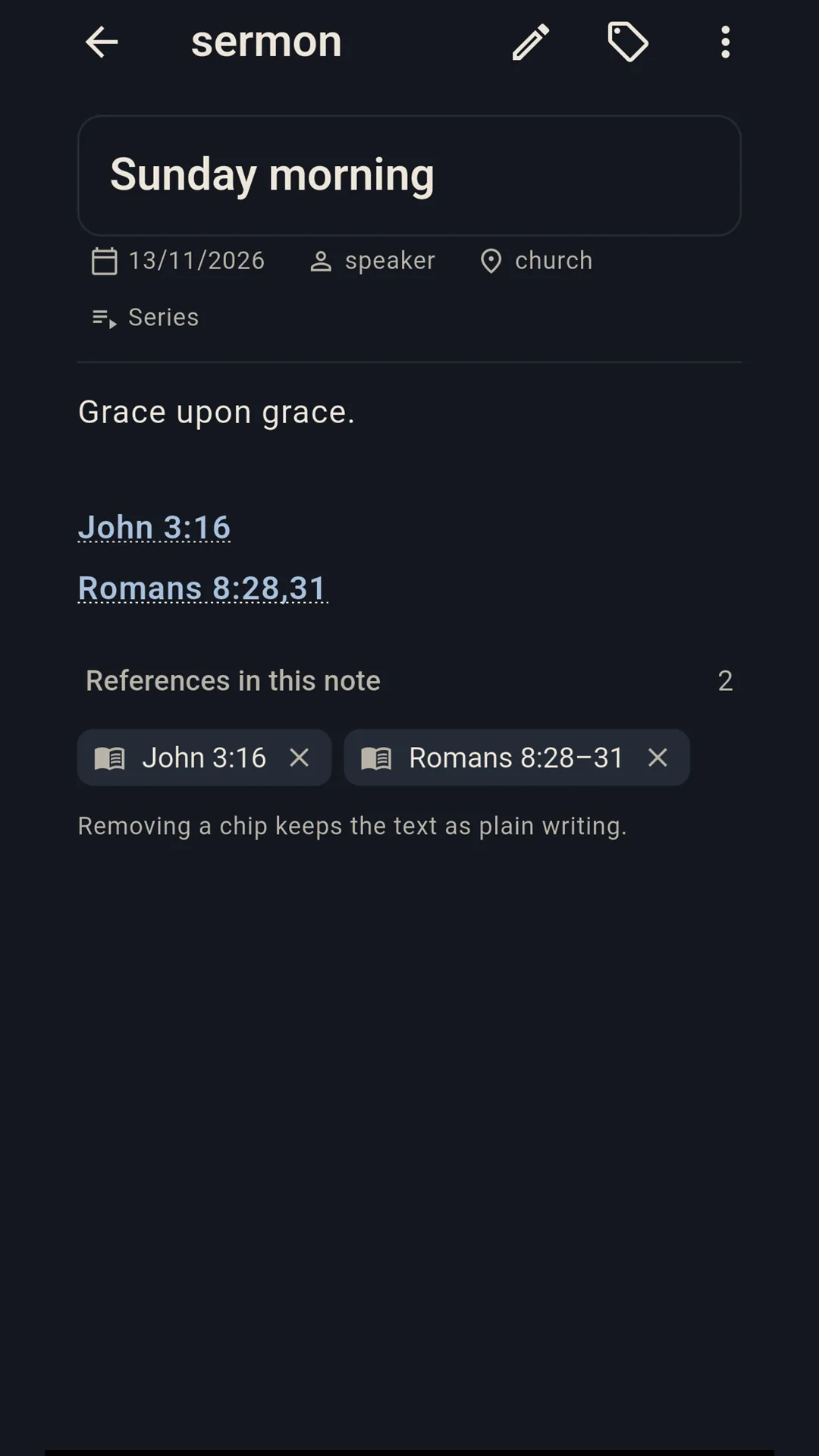
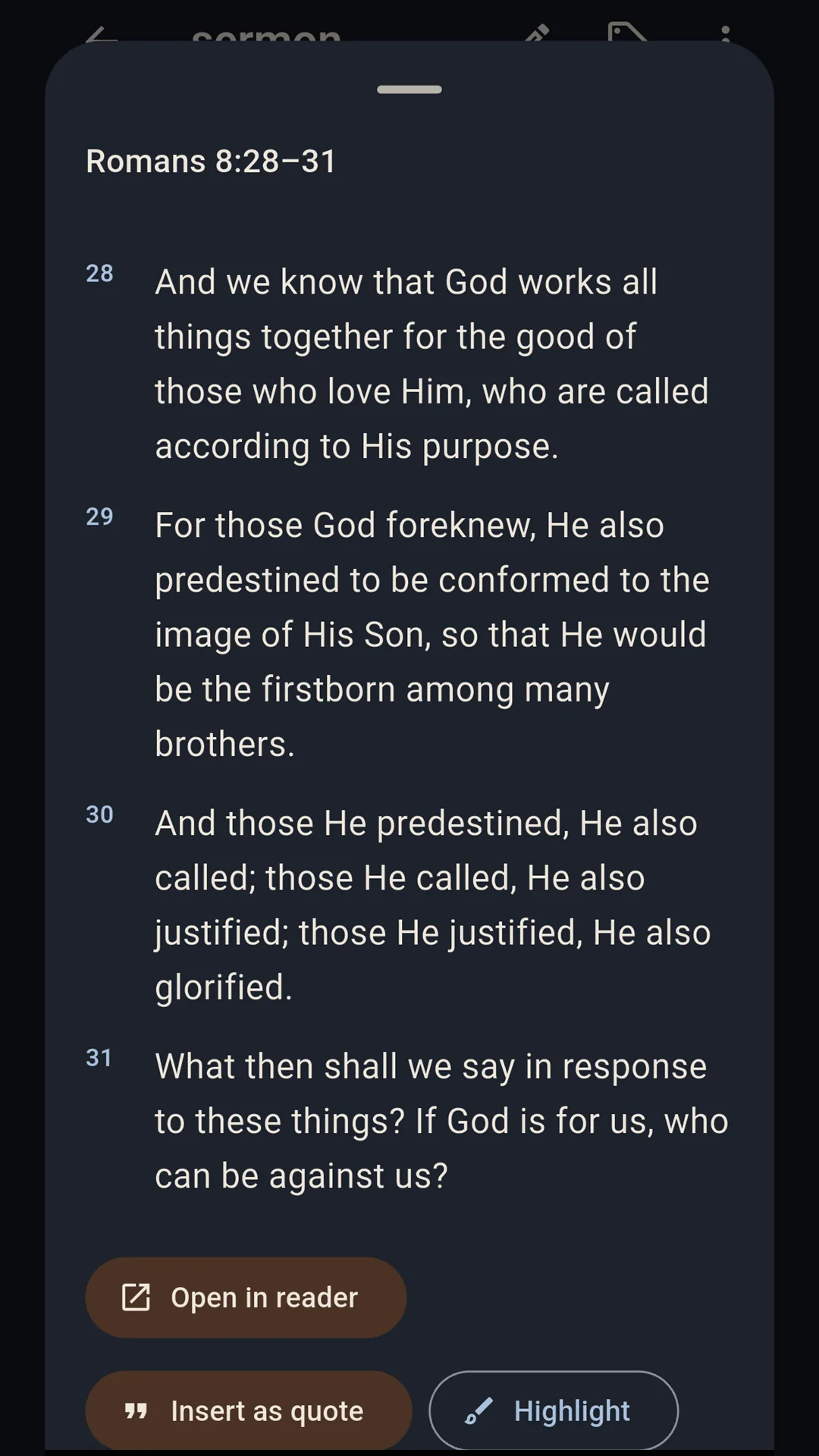
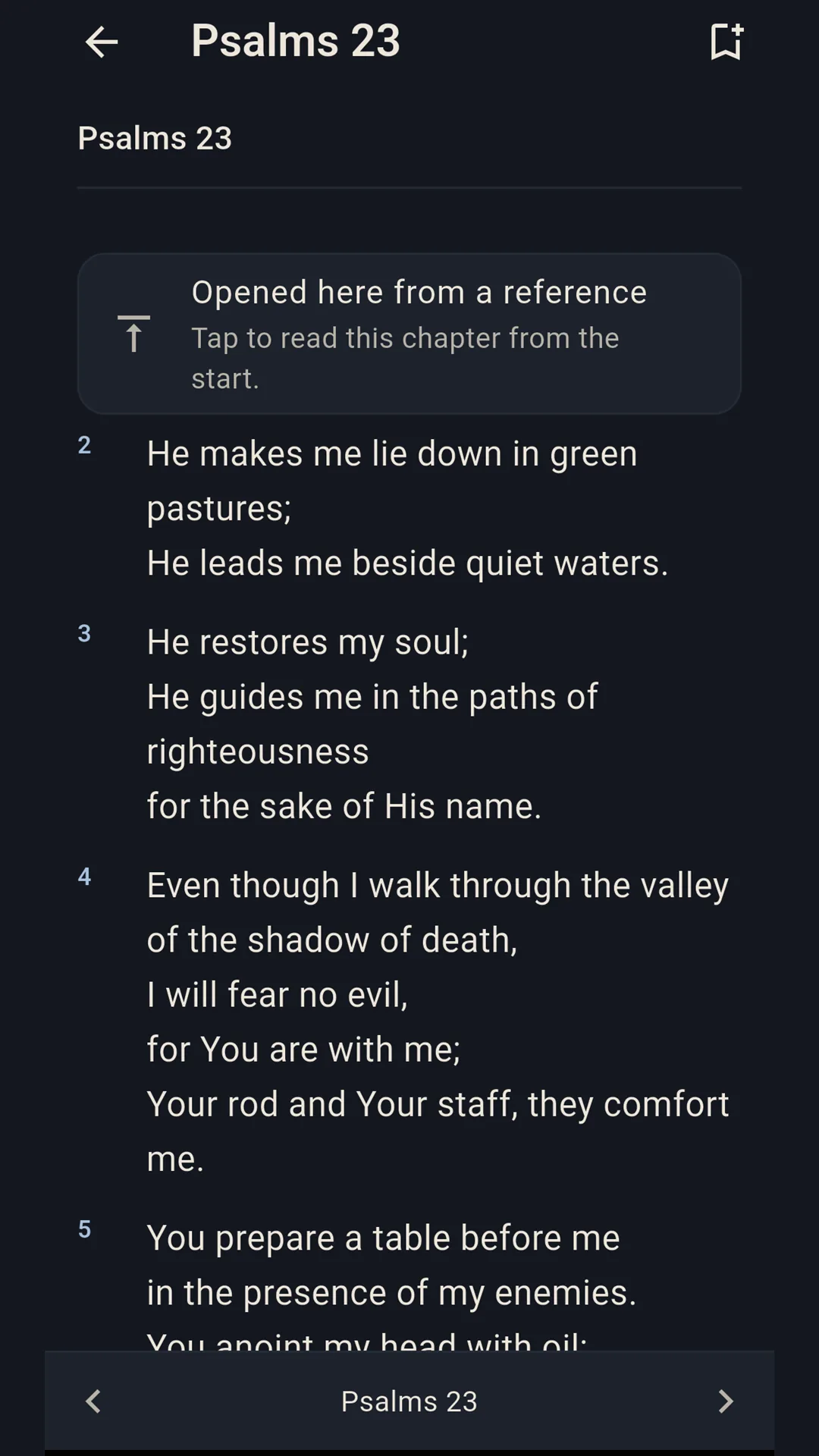
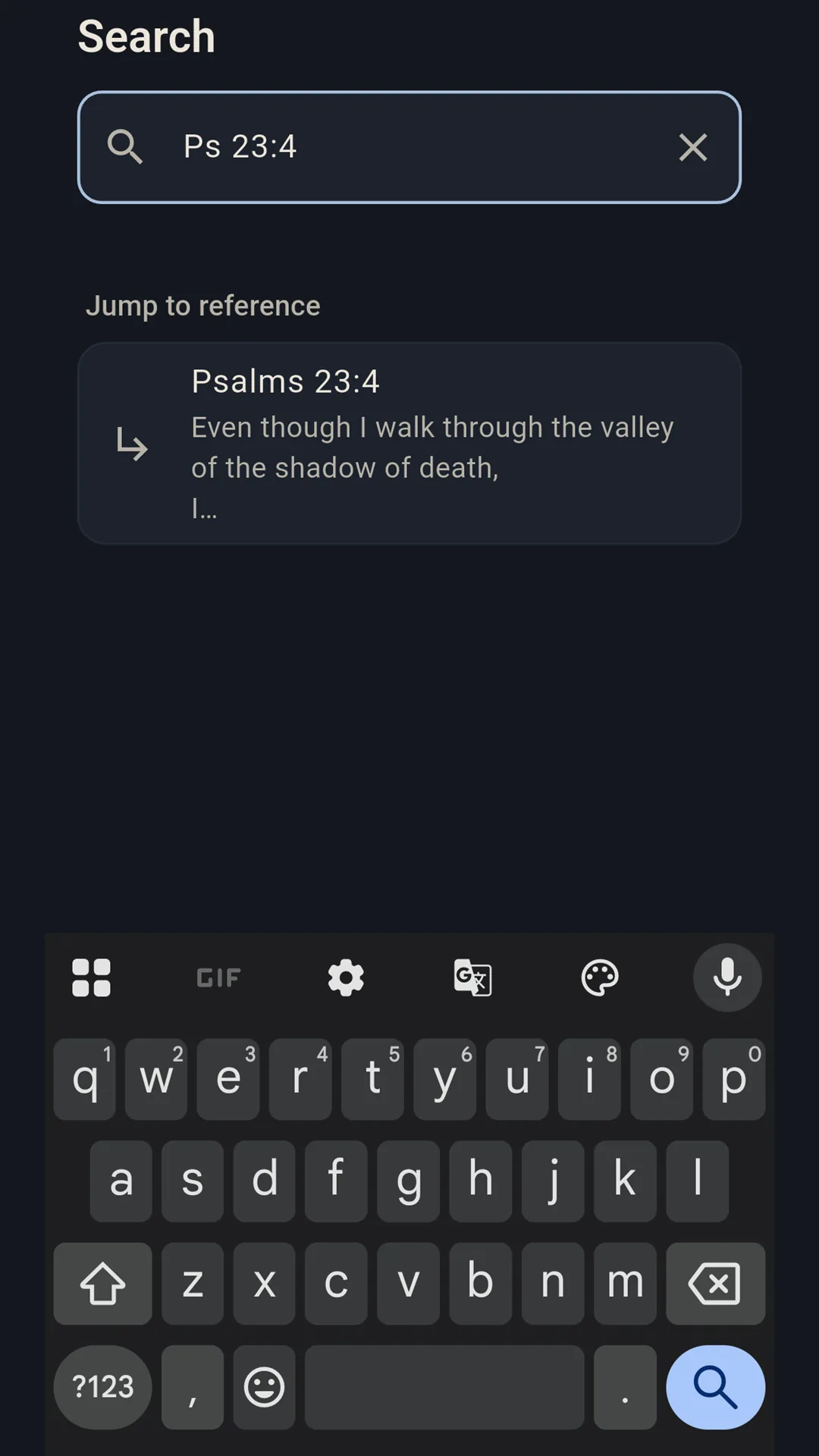
Write “John 3:16”, “Rom 8:28,31” or “Ps 23” and it becomes a link. The passage opens from the note itself, with no lookup and no network.
A quiet notebook for sermons and Bible study. Type a reference — “John 3:16”, “Rom 8:28,31”, “Ps 23” — and it becomes a tappable link that opens the text, offline. The Berean Standard Bible (BSB) and the World English Bible (WEB) are both bundled.
Available now on Google Play for Android.
Bible study notebook / Android / Offline, no account
We never force an ad on you.
No banners, no pop-ups, no interstitials — nothing interrupting you while you work or play. Where a game offers an optional reward ad, it only ever adds a bonus, and is never needed to play or progress.
Write “John 3:16”, “Rom 8:28,31” or “Ps 23” and it becomes a link. The passage opens from the note itself, with no lookup and no network.
The Berean Standard Bible and the World English Bible ship inside the app, so reading, search and lookup work in airplane mode.
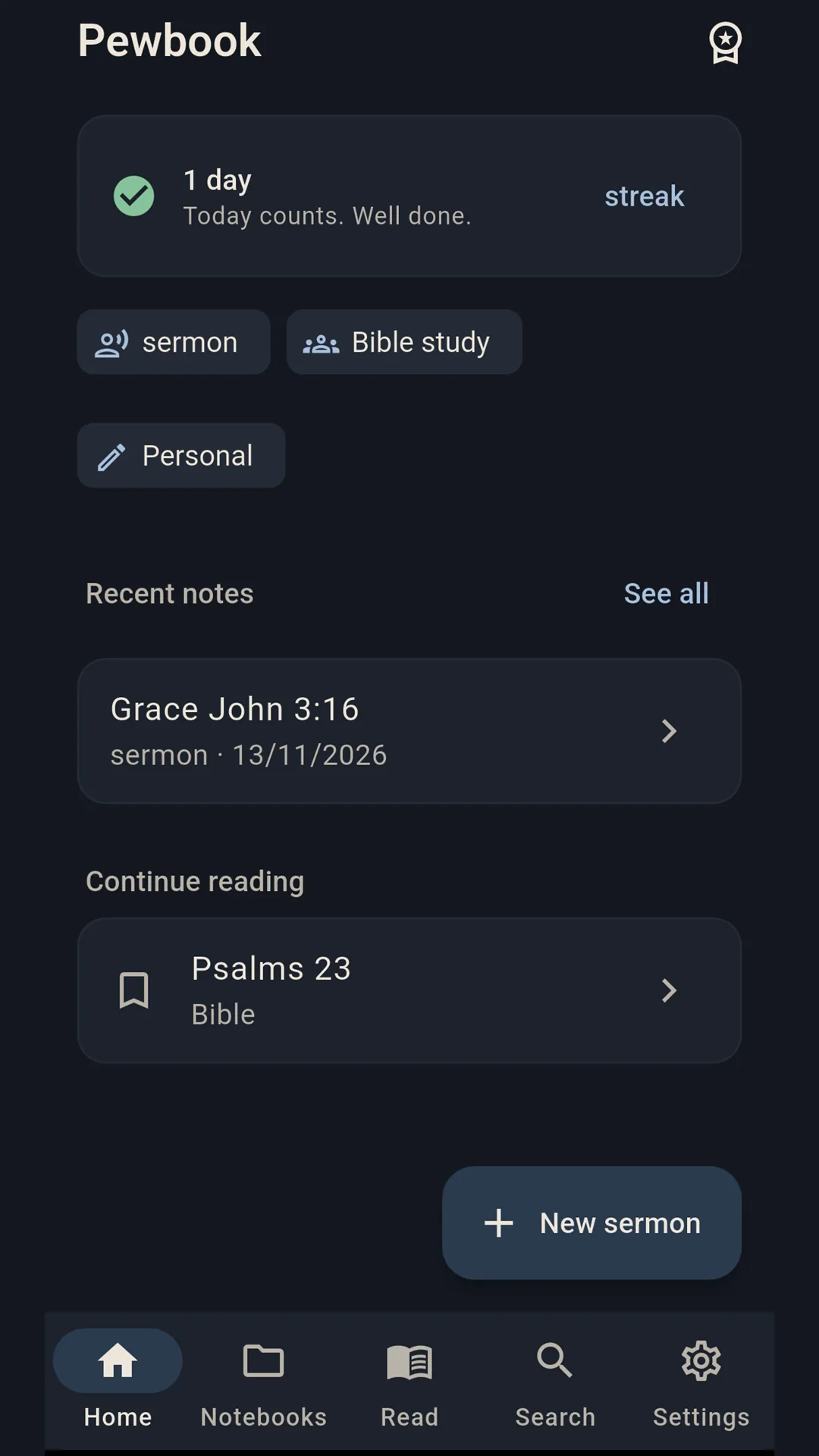
Each note keeps the speaker, place, series and date, and remembers them for next time so a new sermon starts three fields filled in.
Mark a verse, write against it, and tag notes so a theme is easy to find again. Notifications are optional and set by you.
Full-text search covers your own notes and the bundled text, so a half-remembered phrase finds the verse or the sermon it came from.
Notes live in a private database on the phone. A manual backup writes a file you choose and keep; there is no server of ours.
Reading, reference lookup, search and notes are free forever, with no account and no advertising.
A single one-time purchase through Google Play adds extra notebooks and the parallel translation view. No subscription, and Google Play prices it in your local currency.
There is no sign-in, no profile and no e-mail collection. The app never sees your Google account details or payment information.
The Berean Standard Bible (BSB) and the World English Bible (WEB), both offline. The optional unlock adds extra notebooks and the parallel translation view.
Yes. Both translations ship inside the app, so reference lookup, reading and search work in airplane mode. Notes are stored in a private database on the phone.
No. There is no sign-in, no profile and no e-mail collection, and the app never sees your Google account details or payment information.
No. There is no advertising SDK and no analytics SDK, and nothing about what you write or read is sent anywhere.
One one-time purchase through Google Play adds extra notebooks and the parallel translation view. Reading, reference lookup, search and notes are free forever.
Your notes, highlights, bookmarks and reading history are stored in a private database on your phone. There is no analytics SDK, no advertising SDK and no crash reporting, and nothing about what you write or read is sent anywhere.
Not affiliated with any church or denomination.
Read the privacy notice